aitasks
A full agentic IDE in your terminal.
Kanban board, code browser, agent monitoring, and AI-enhanced git workflows — all in one tmux session, with full mouse support. Press j to hop between TUIs without leaving the terminal.
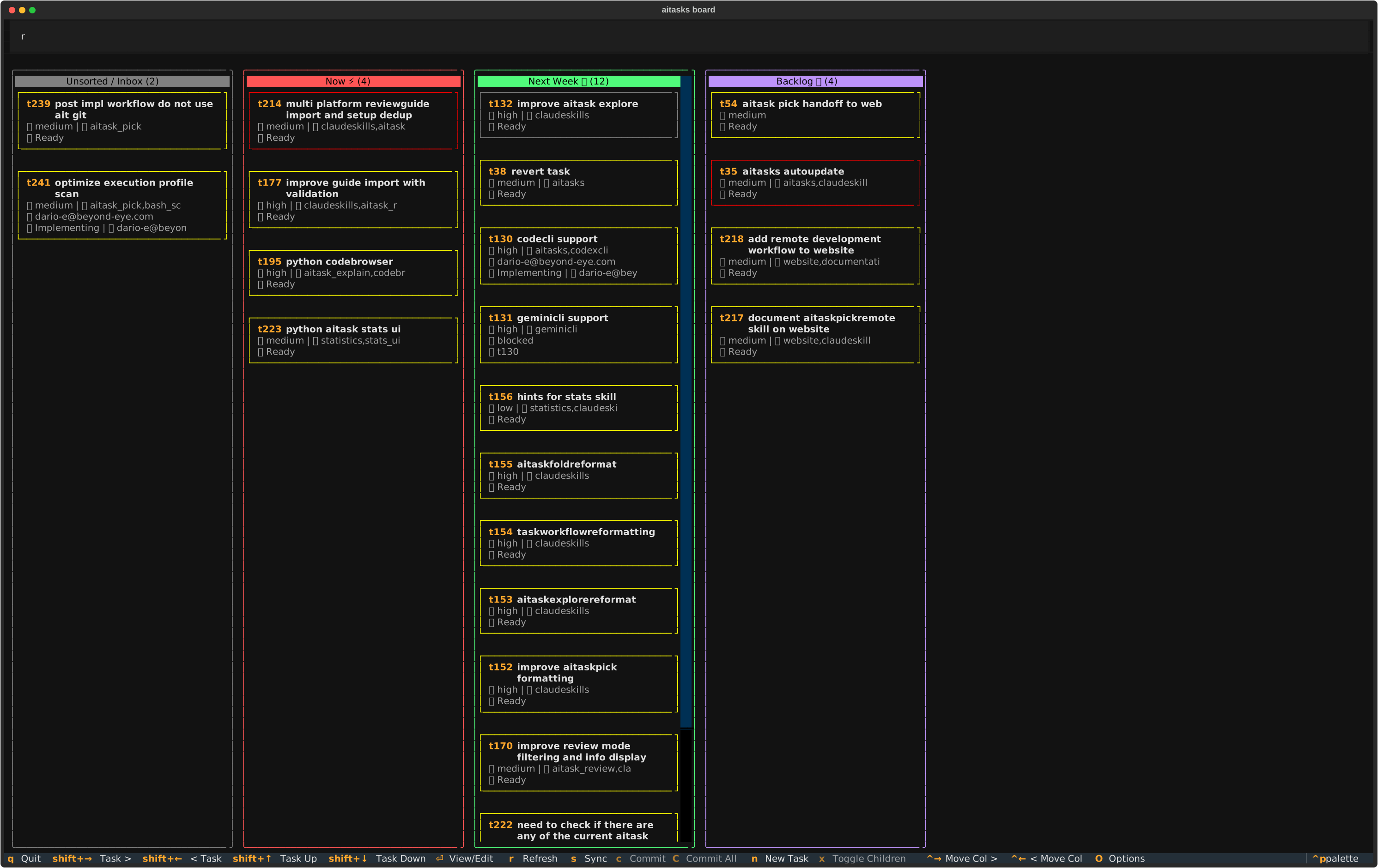
Agentic IDE in your terminal
Board, Code Browser, Monitor, Minimonitor, Settings, Stats, Syncer, and Brainstorm — all in one tmux session via ait ide, with support for multiple projects in multiple sessions.
Long-term memory for agents
Archived tasks and plans become queryable context for future work. The Code Browser annotates each line back to the task and plan that introduced it — your repo remembers why, not just what.
Tight git coupling
PR import/close, issue tracker integration, contribution flow, changelog generation, and AI-assisted reverts — all rooted in git commits and task metadata.
AI-enhanced workflows
Combine CLI tools and agent skills into repeatable workflows — task decomposition, parallel development, code review, QA, and releases.
⚡ Quick Install
The simplest way — works on every supported platform:
curl -fsSL https://raw.githubusercontent.com/beyondeye/aitasks/main/install.sh | bash
Then run ait setup in your project (the git repository root).
Prefer your distro’s package manager?
| Platform | Install command |
|---|---|
| macOS | brew install beyondeye/aitasks/aitasks |
| Arch / Manjaro (AUR) | yay -S aitasks |
| Debian / Ubuntu / WSL | .deb from Releases, then sudo apt install ./aitasks_*.deb |
| Fedora / RHEL / Rocky / Alma | .rpm from Releases, then sudo dnf install ./aitasks-*.noarch.rpm |
See the Installation guide for per-platform walkthroughs and detailed setup instructions.
🎛️ Take the tour
Seven TUIs (Terminal User Interface) share a single tmux session, with full mouse support. Click any of them to dive in.
🧩 Task decomposition & parallelism
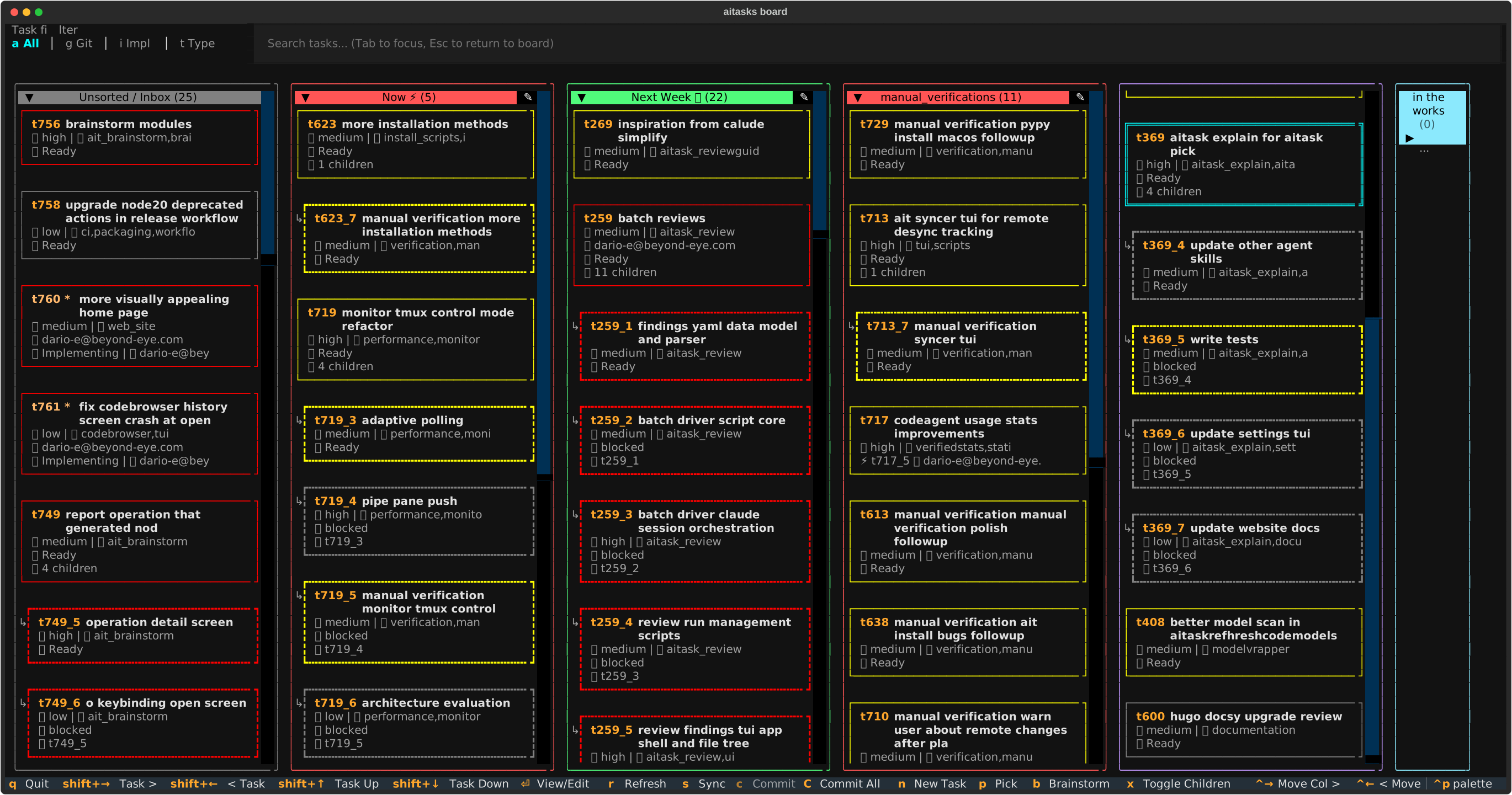
A parent task automatically broken into well-scoped child subtasks.
Complex tasks rarely fit a single context window. aitasks breaks them into child tasks, propagates sibling context, and runs them in isolated git worktrees so multiple agents can work side by side without stepping on each other.
- Auto-explode complex tasks into well-scoped child tasks during planning
- Sibling context propagation — each child sees what came before
- Git worktrees + atomic locks for true parallel agent work
- Plan verification tracking so picked-up work resumes safely
See Task decomposition and Parallel development.
Tasks are living documents, not rigid specifications. Start with raw intent. Let the AI refine context iteratively. Ship when the spec and the code converge.
🔍 AI-enhanced code review
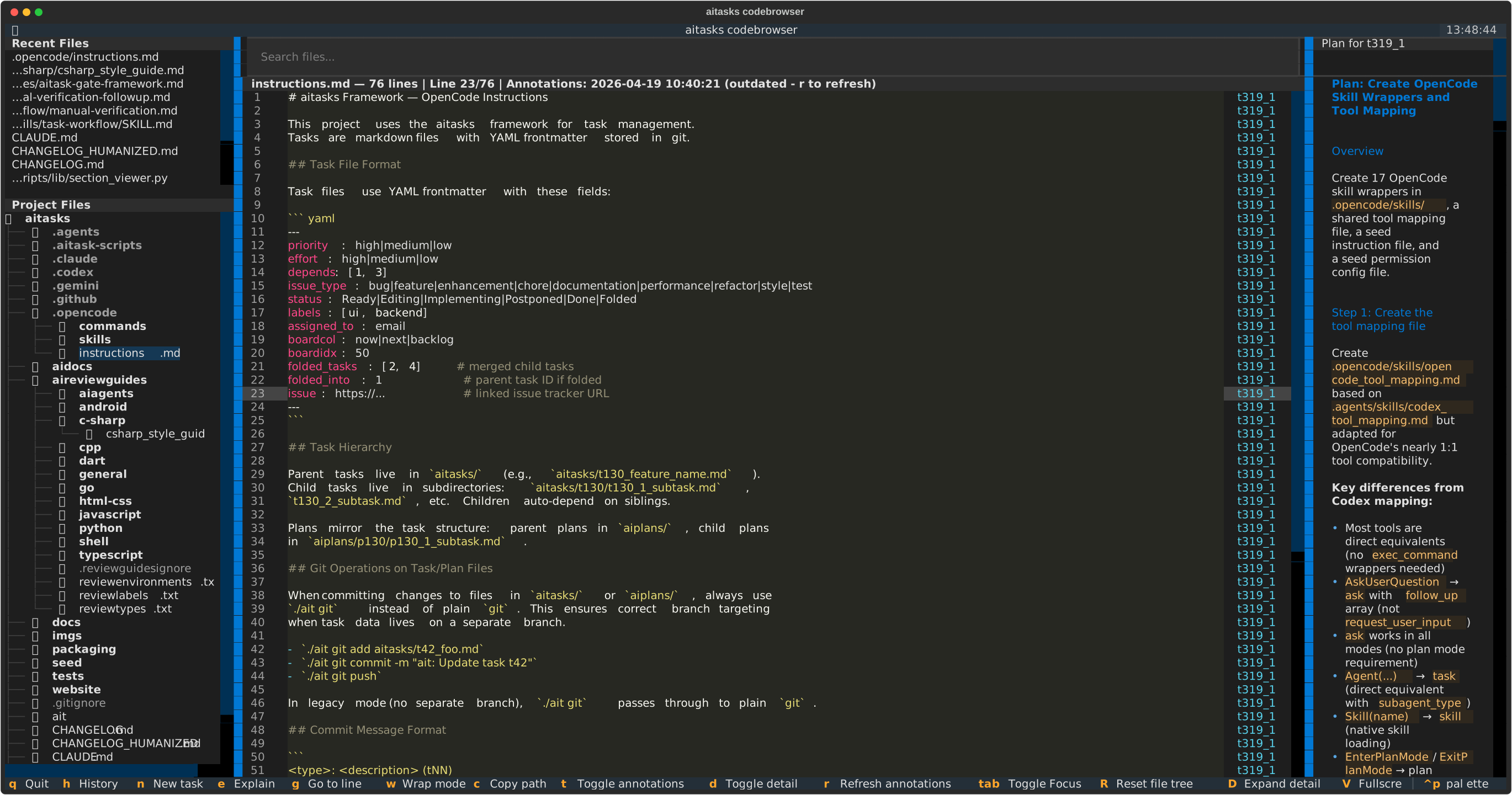
Code browser annotates each line back to the originating task and plan.
Reviews aren’t a checklist — they’re a workflow. aitasks treats review guides, QA, and code explanations as first-class citizens with traceability back to the originating task.
- Per-language review guides, automatically suggested for changed files
- Batched multi-file reviews that produce follow-up tasks, not just comments
- QA workflow that turns review findings into testable child tasks
- Code explanations that trace each line back to the task and commit that introduced it
See Code review and QA testing.
🤖 Multi-agent support with verified scores
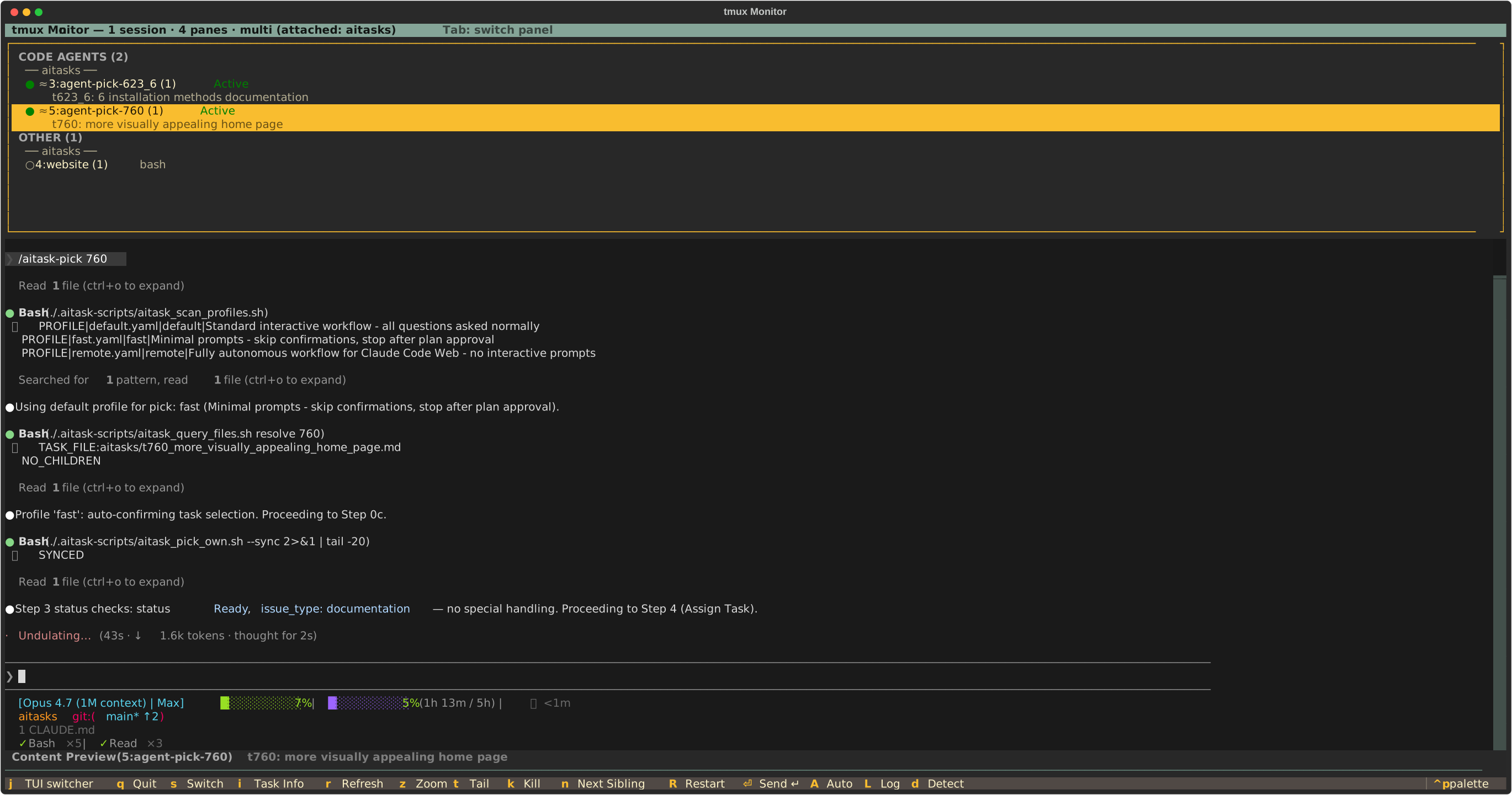
Watch multiple agents work side-by-side in the monitor TUI.
One framework, many code agents. aitasks unifies Claude Code and all other supported coding agents under a single codeagent wrapper, then accumulates per-model and per-operation success scores from real user feedback.
- Drop-in support for Claude Code and all other supported coding agents
- Per-operation scoring (planning, implementation, review) instead of generic benchmarks
- Verified scores accumulate from your team’s actual usage, not synthetic tests
- Switch agents per-task without rewriting workflows
See codeagent command and Verified scores.
📦 Latest Releases
- v0.40.0: Your artifact store stays off your fetches, The syncer asks an agent for help, and Git that never takes your work by surprise – Oct 25, 2026
- v0.39.0: A notes pad beside every agent, Artifacts on a git branch, and Freeze and restore you can trust – Oct 21, 2026
- v0.38.0: The test map takes shape, Trails that cross projects, and Prune a brainstorm down to what matters – Oct 16, 2026